Hide your desktop
before anyone else sees it.
Mica clears the screen in one keystroke — windows, Dock, menu bar icons, wallpaper, desktop clutter and notifications. Or it notices the share starting and does it for you.
When you're done, everything comes back exactly as it was.
Free & open source · macOS 15+ · Apple Silicon & Intel
Six switches, one keystroke
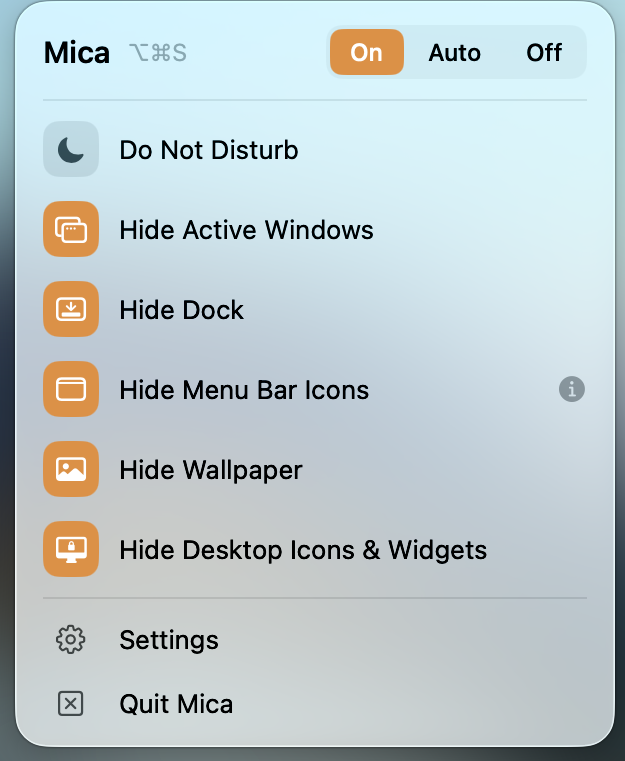
Everything lives in one menu bar panel. On hides now. Auto hides only while your screen is being watched. Off stands down. ⌥⌘S flips it from anywhere.
Nothing is closed and nothing is lost — an app you'd already hidden stays hidden.
- Do Not DisturbSilences notifications.
- Hide Active WindowsAll, all but the front, or a list you pick.
- Hide DockSlides it out of sight.
- Hide Menu Bar IconsEverything left of Mica's marker.
- Hide WallpaperBlurs it past recognition, keeping the colour.
- Hide Desktop IconsClears the desktop; the wallpaper stays.
Everything, or only what you choose
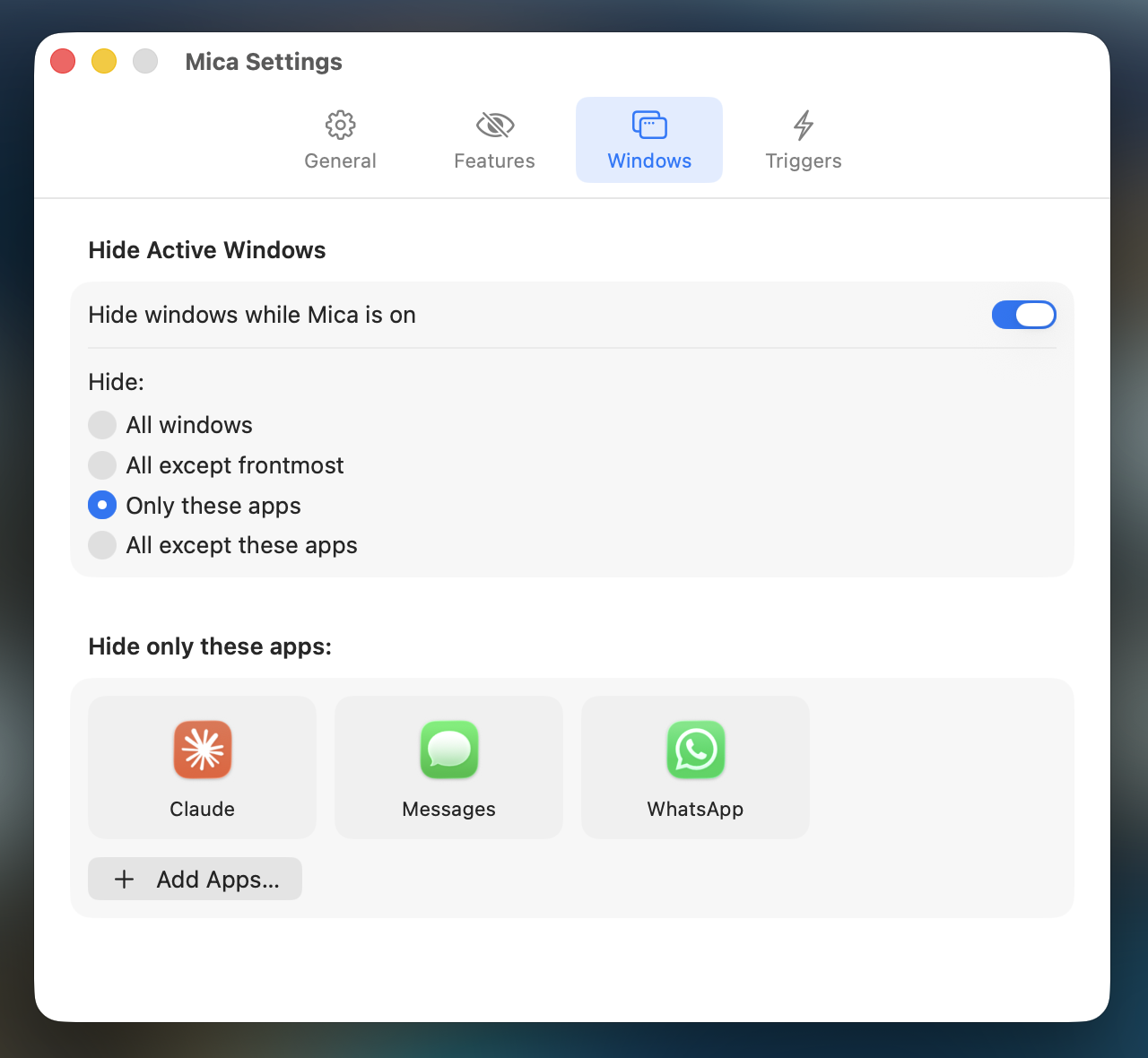
Hiding every window is usually too much — you still need the thing you're presenting. So choose the scope: all windows, all except the frontmost, or name the apps yourself and hide only those — or everything but those.
The messages keep arriving. Nobody watching sees them.
It can turn itself on
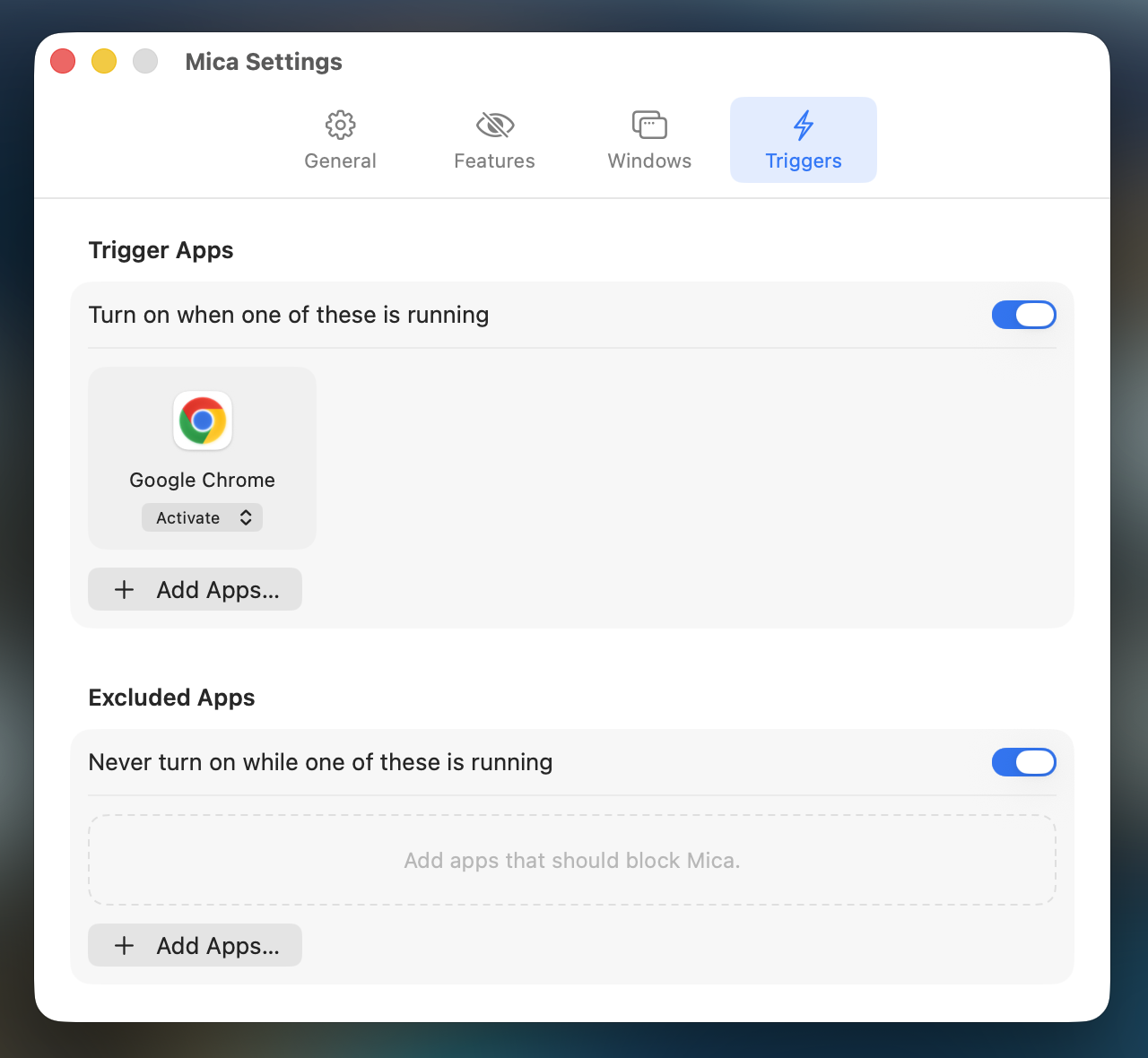
In Auto, Mica watches for the moments that mean someone else is about to see your screen — a share or recording starting in Zoom, Meet, Teams, QuickTime, OBS or ⌘⇧5, and a display being mirrored or extended.
You can add apps of your own, each set to turn Mica on or just remind you. And exclusions — apps that hold it off no matter what else is happening.
Get Mica
Free, open source, and yours to keep. No account, no subscription, no tracking.
first launch: right-click → Open
FAQ · Privacy · Terms · GitHub
Not affiliated with Apple · MIT licensed